
Razer Reclusa X Mini 65%: two-minute review
Razer has a long and storied history when it comes to its own mechanical keyboards, but at virtually every opportunity, it has charged a bit of a premium for them. Even the more enthusiast-focused ones, such as the BlackWidow V4 75%, have tended to transplant the brand's gaming look onto a hot-swappable, sound-dampened board with a premium price to match. The Reclusa X Mini 65% takes a different approach. At $49.99/£59.99/AU$99.95, it's aimed squarely at the budget end of the market, and at people who might be buying their first mechanical keyboard, which is a good market to go after.
The problem a first-time buyer has is simply the breadth of choice on offer, and it can be very daunting to pick a keyboard, even if I think it's simpler than the internet wants you to think. Likewise, a lot of the choices on offer tend to skimp on certain things, or they aren't offering a complete package – Razer has hit the nail on the head when it comes to the fundamentals of a good affordable mechanical keyboard.
For instance, the plastic chassis is compact but has a surprising amount of heft, and I couldn't find any real deck flex. For the money, that's a pleasant surprise. Moreover, the third-gen Orange tactile switches are the best Razer has made in a while, with a pleasant feel under finger that kept me using this keyboard long after the review period was up, and the mint green colorway is a departure from the brand's usually quite aggressive, gamer-centric styling.
It's only really the little things that let it down. I'll continue to bemoan the presence of ABS keycaps, even on a more affordable keyboard, and the lack of any form of adjustable feet on the underside feels like an oversight. The absence of any wireless connectivity may not please some, but I don't necessarily see it as a big issue given the price.
Even so, the Reclusa X Mini 65% is a very easy keyboard to like. It's sturdy, smooth to type on, and looks the part, and it has room to grow if you want to experiment with different switches, being hot-swappable and all. It's a fantastic first mechanical keyboard for a lot of folks, and all the more fun being from a brand I might not have expected to get it so right.
Razer Reclusa X Mini 65% review: Design
- Especially compact
- Pleasant green keycaps
- Surprisingly sturdy
As much as the Reclusa X Mini 65% isn't an expensive keyboard, it doesn't exactly feel like a bargain-bin product, either. Far too often, cheaper keyboards from brands up and down the reputational ladder are plastic fantastic, with corners that flex and a chassis that feels like it'll give up as soon as you put your fingers down to type.
Not so with this product. The plastic chassis may be compact, but it has a surprising amount of heft and no real deck flex, which I'm delighted about. I first got hands-on with this product at Gamescom 2026, and the first thing I did was pick it up, try to flex the chassis, and was met with resistance from the keyboard's frame, which genuinely surprised me. That doesn't happen too often these days.
The style Razer has opted for with this keyboard is also unlike any of its previous efforts. The brand's other keyboards, even the more enthusiast-focused ones such as the BlackWidow V4 75%, simply transplanted the signature look of its gaming products and supplemented it with hot-swappable switches, sound dampening, and so on. The Reclusa X Mini 65% actually looks a little more like a product that someone getting into mechanical keyboards might want to purchase.
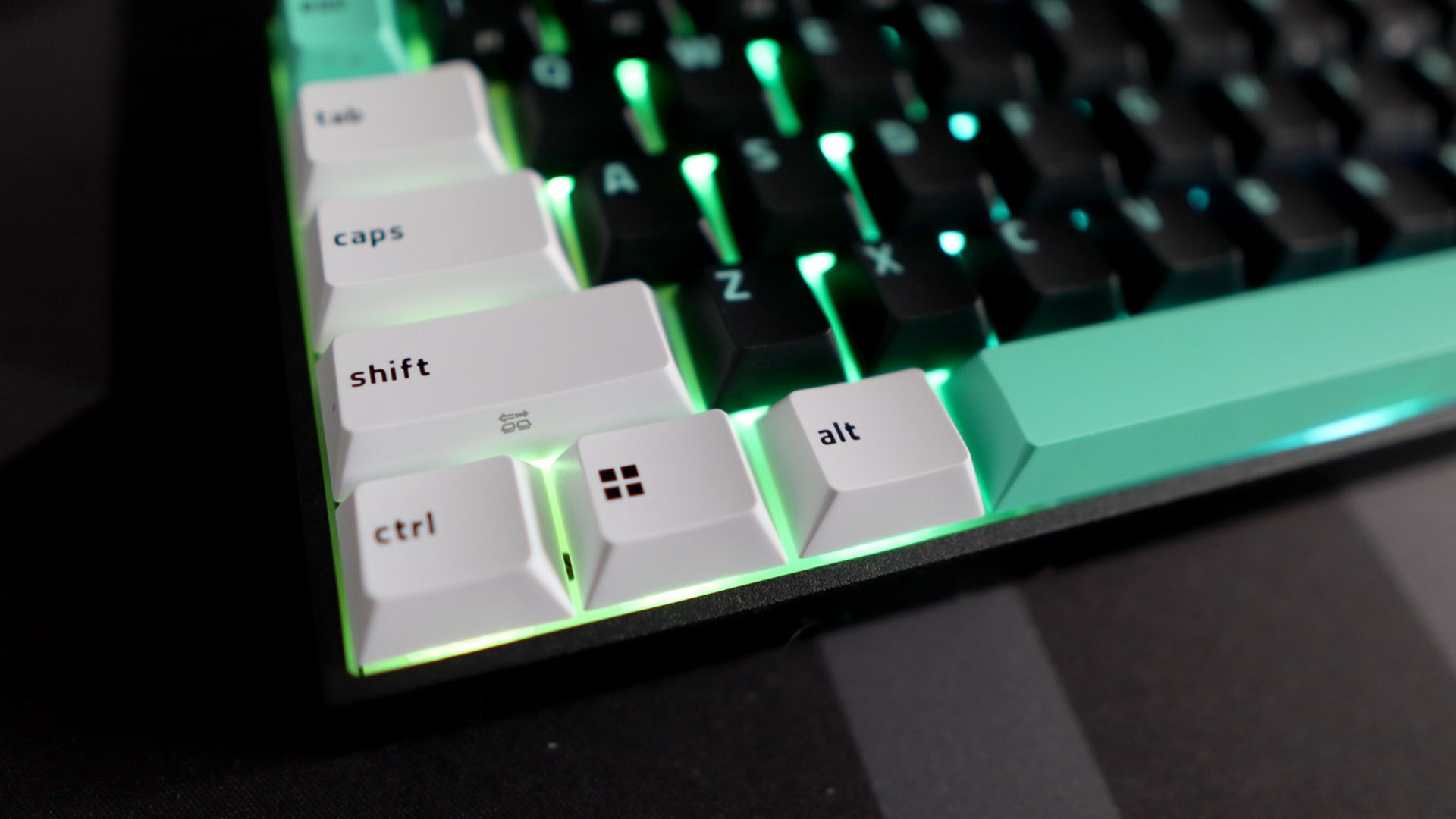
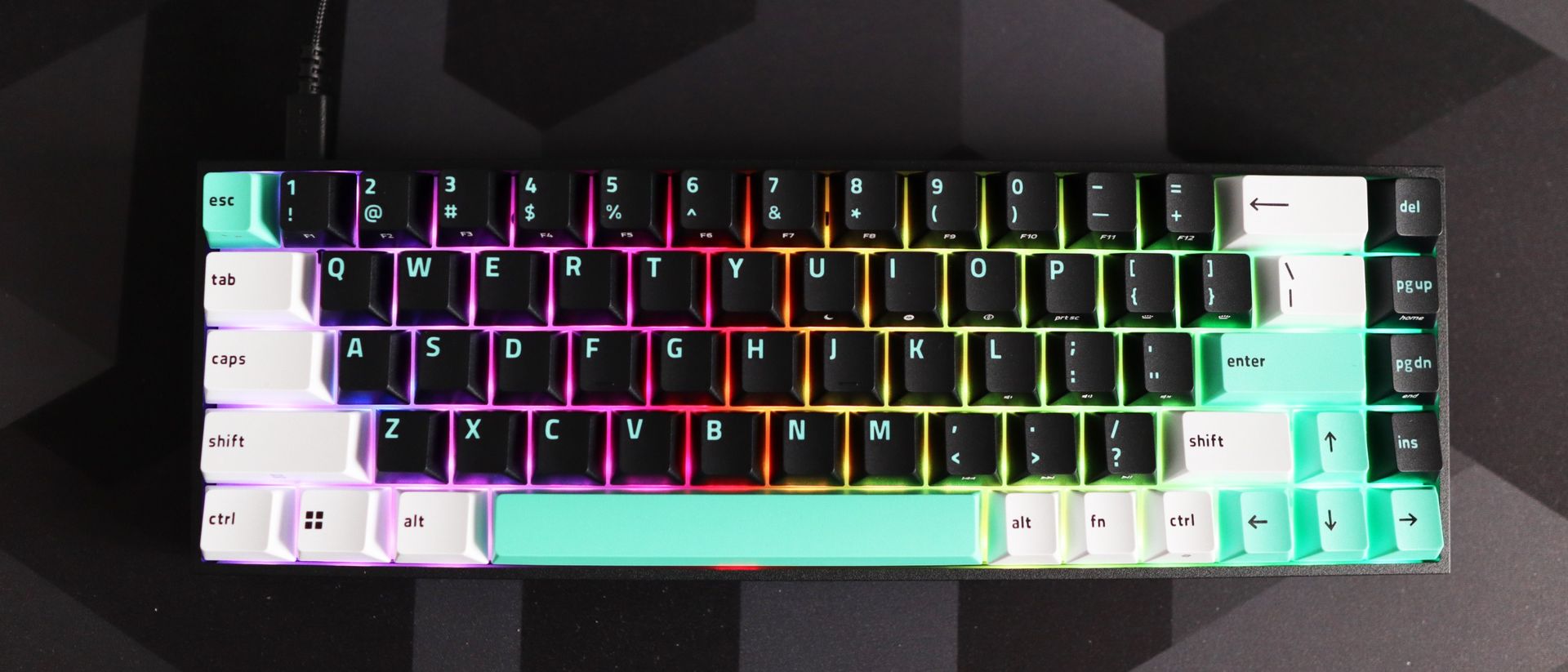
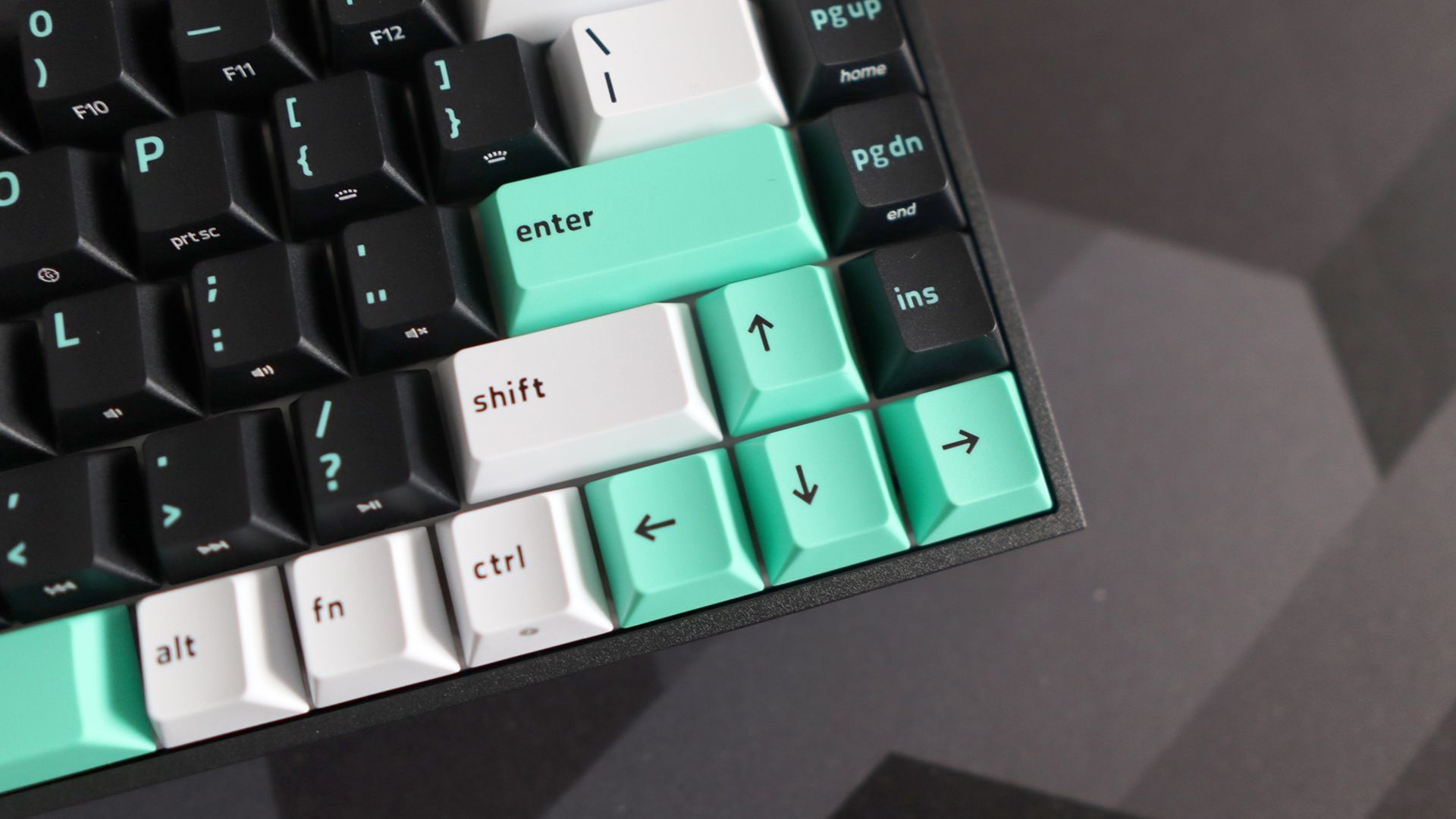
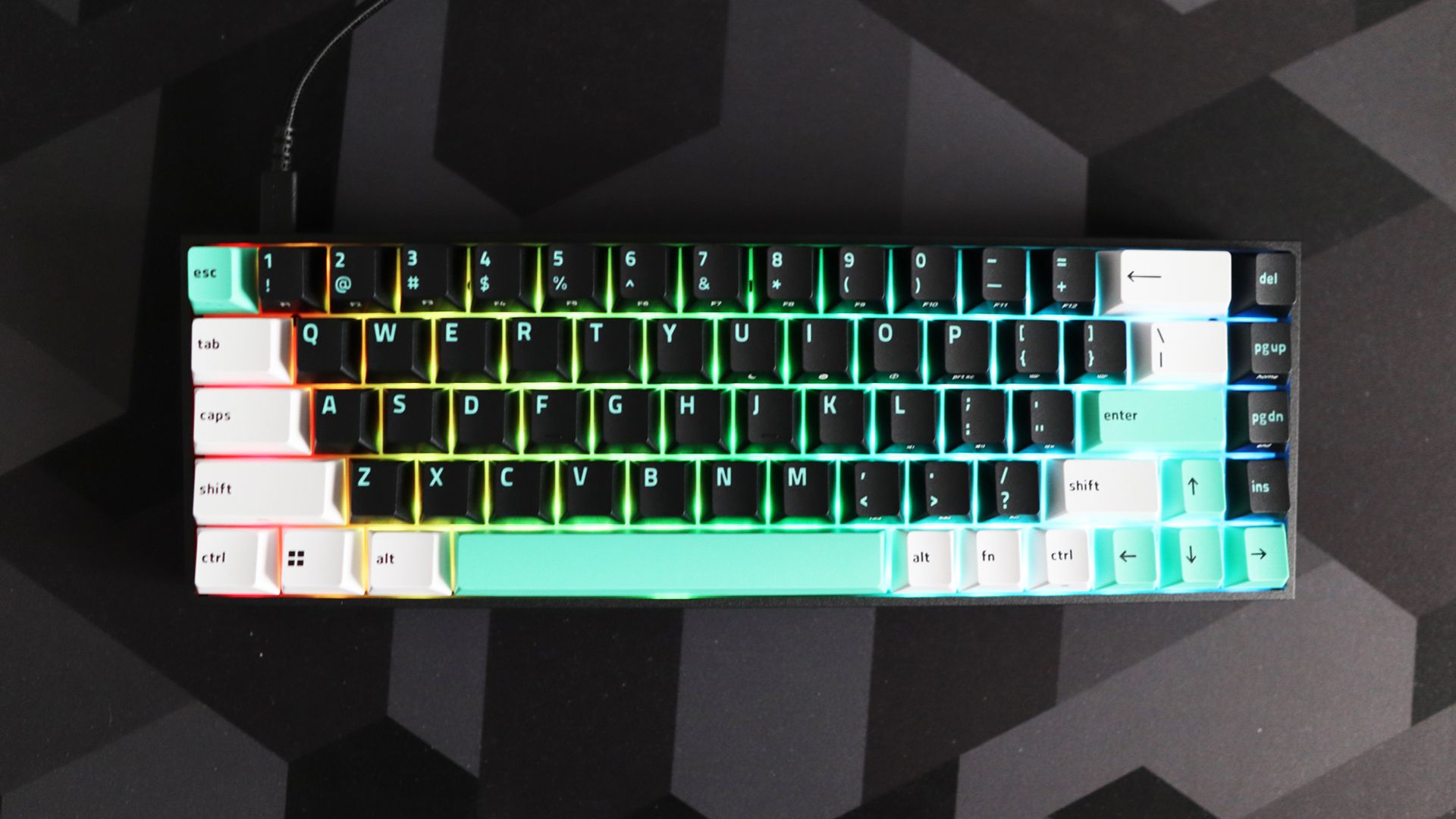
I'm a particular fan of the keycap styling and color options with the mint green accents for Esc, Return, the Space Bar, and arrow keys, plus white for other function keys. The main alphanumerics are black with the same green hue for the legends. Being doubleshot is nice for durability, too, although I will continue to nag Razer about its use of the shiny ABS plastics. Even at the more affordable end of the market, we're seeing the more durable (and much more shine-resistant) PBT used more often, so it would have been nice to see it here.
The 65% layout is largely okay to use day-to-day, and provides you with some of the functionality of bigger footprint keyboards, such as a single column nav cluster and arrow keys in the corner. Other functions, such as the F-row, media playback and controlling the keyboard's RGB backlighting, are relegated to a function layer. I'd prefer a bigger layout, but 65% is the absolute smallest I can get away with using day-to-day without feeling hemmed in.
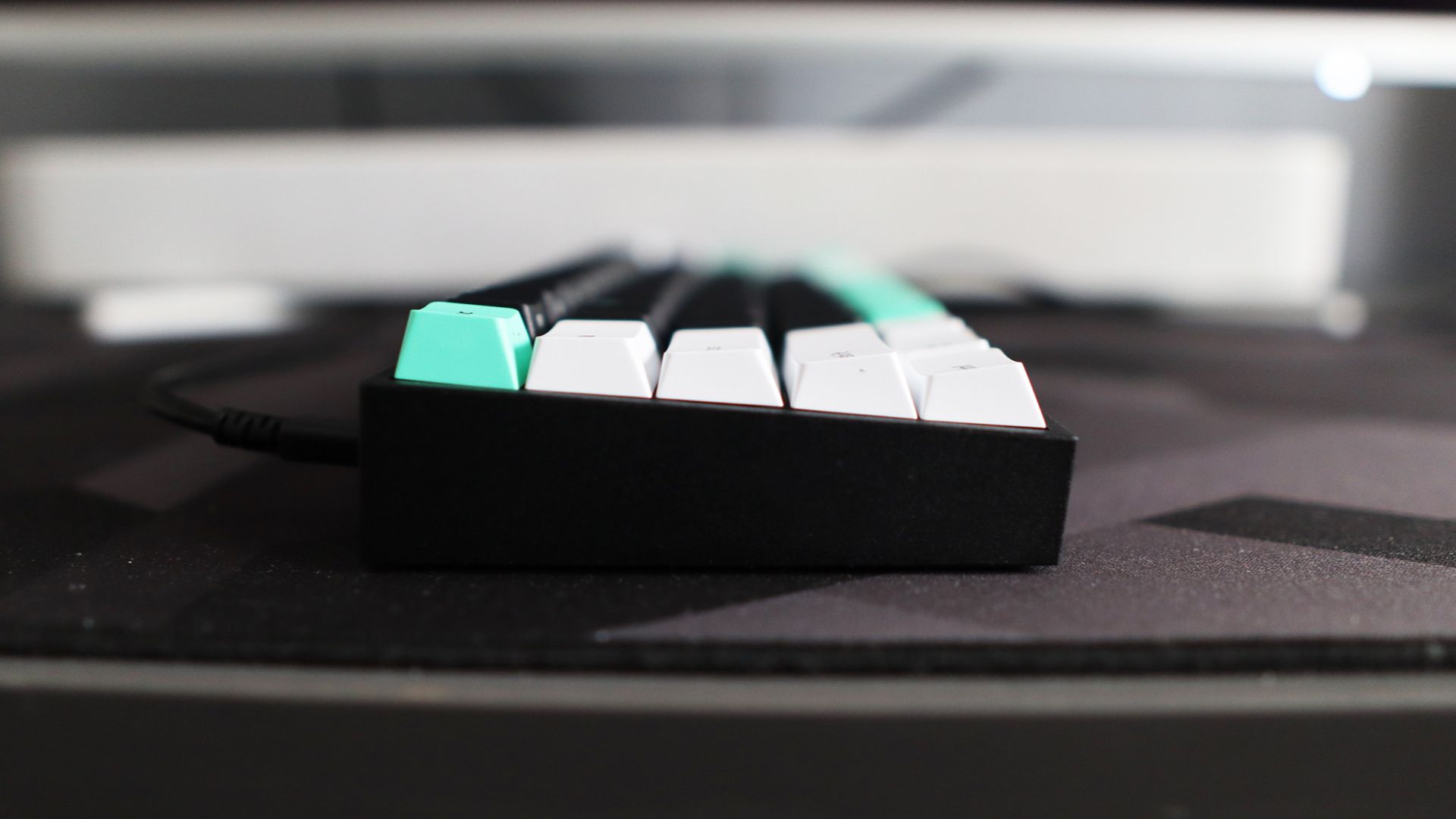
The interface around the back is nice and simple, with just a USB-C port for hooking the keyboard up to a PC or Mac. After all, it is just wired, with no other connectivity options available – for the price, it's perfectly fine.
I do have another bone to pick, though. The underside has no adjustable feet. While the default rake of the Reclusa X Mini 65% is comfortable enough for me, it's a shame that you can't tilt it any further up.
- Design score: 4.5/5
Razer Reclusa X Mini 65% review: Performance
- Tactile Gen 3 Orange switches feel solid under finger
- Decent acoustics and customisation potential
- Bright RGB lighting and convenient software on offer
One of my bigger keyboard-related axes to grind has often been Razer's own switches. The older Green and Yellow switches never did anything for me compared to other options out there, and the third-gen Orange soft tactiles that's been fitted to my sample of the Reclusa X Mini 65% have been Razer's pick of the bunch for some time.
These are 50g switches, providing a slightly heavier press than your typical crop of linears, with a little more weight under finger than I usually like. There's a decent tactile bump halfway down the keypress to boot. For typing an array of articles with this keyboard, this review included, it's been nothing if not agreeable.
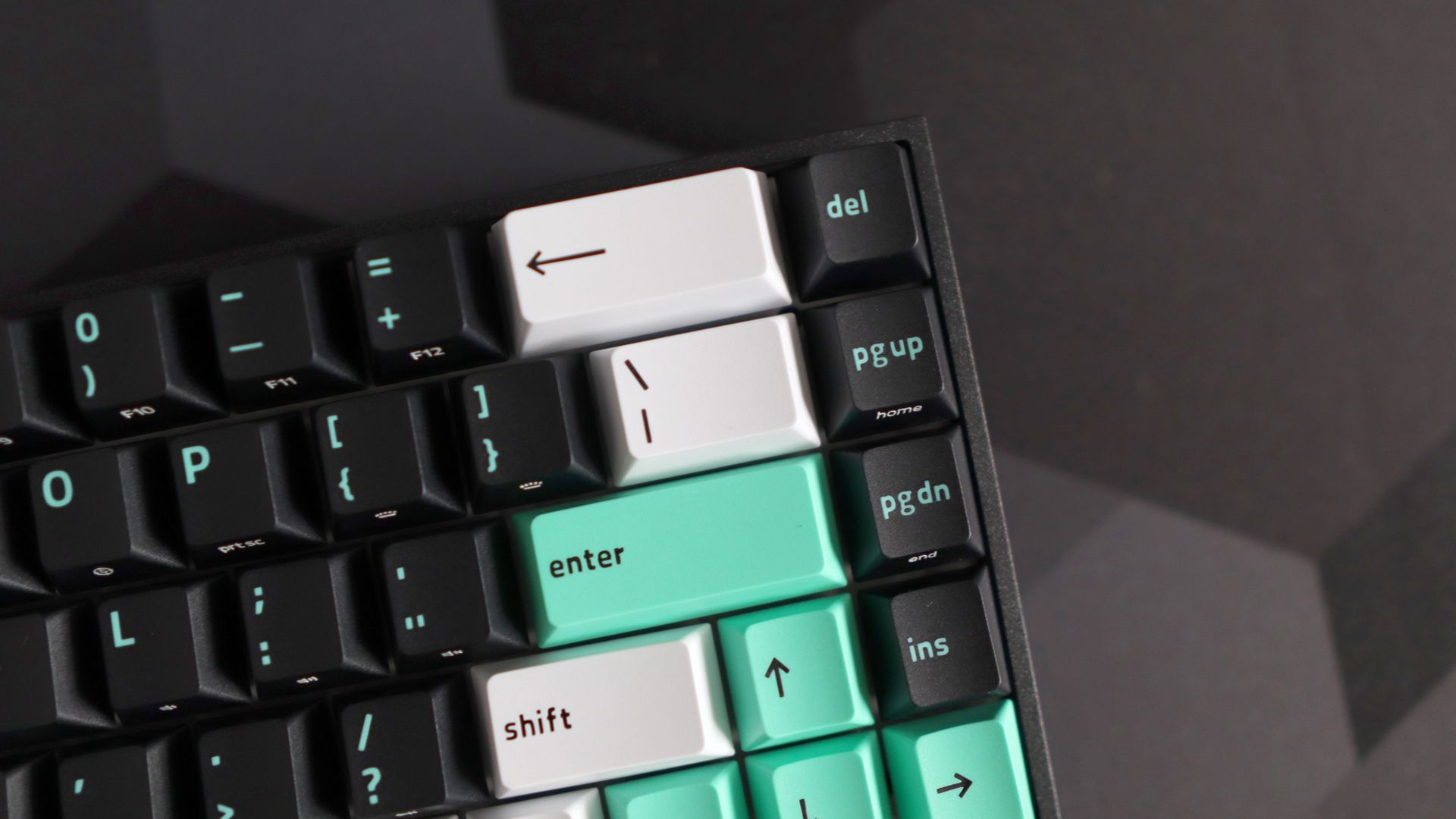
The switches also come pre-lubricated, meaning they’ve had a small dab of lubricant on the stem, switch housing, and elsewhere inside for a smoother keystroke. The idea of lubricating switches has become more tied to the modern mechanical keyboard hobby in the main, and it works to the Oranges’ advantage by offering a smooth keystroke that’s nicely interrupted by the soft tactile bump halfway down the keystroke.
If these switches aren't your jam, though, then the Reclusa X Mini 65% is hot-swappable and compatible with your usual MX-style three- or five-pin switches, and it works the way you'd expect, with no soldering or funny business required. That said, I couldn't spot a keycap or switch puller in the box, so you'll need to supply your own if you want to swap them out. Doing so is easy enough, though, so you can change switches in a matter of minutes, potentially changing the feel of the keyboard completely. For instance, I had some Cherry MX Northern Lights knocking around, which are a lighter and much quieter linear switch, which changed the feel of the 'board completely.
Regarding noise, this Razer keyboard isn't the quietest, and when you get up to speed, it can be quite loud. That said, there is internal dampening to help reduce any case rattle and ping, and the acoustics on offer here are largely pleasant, with a crisp and quite bright sound when you get into the groove.
Software duties are handled by Razer's Synapse 4 suite, which is a major improvement on the older and clunkier forms of Synapse that came before it. As expected for a keyboard that isn't packed to the rafters with HE or TMR or whatever else, the customisation here is largely limited to key remapping on two layers, plus enabling the brand's Snap Tap feature for unusually brisk side-to-side movement in the likes of CS:2 and configuring the keyboard's RGB lighting.
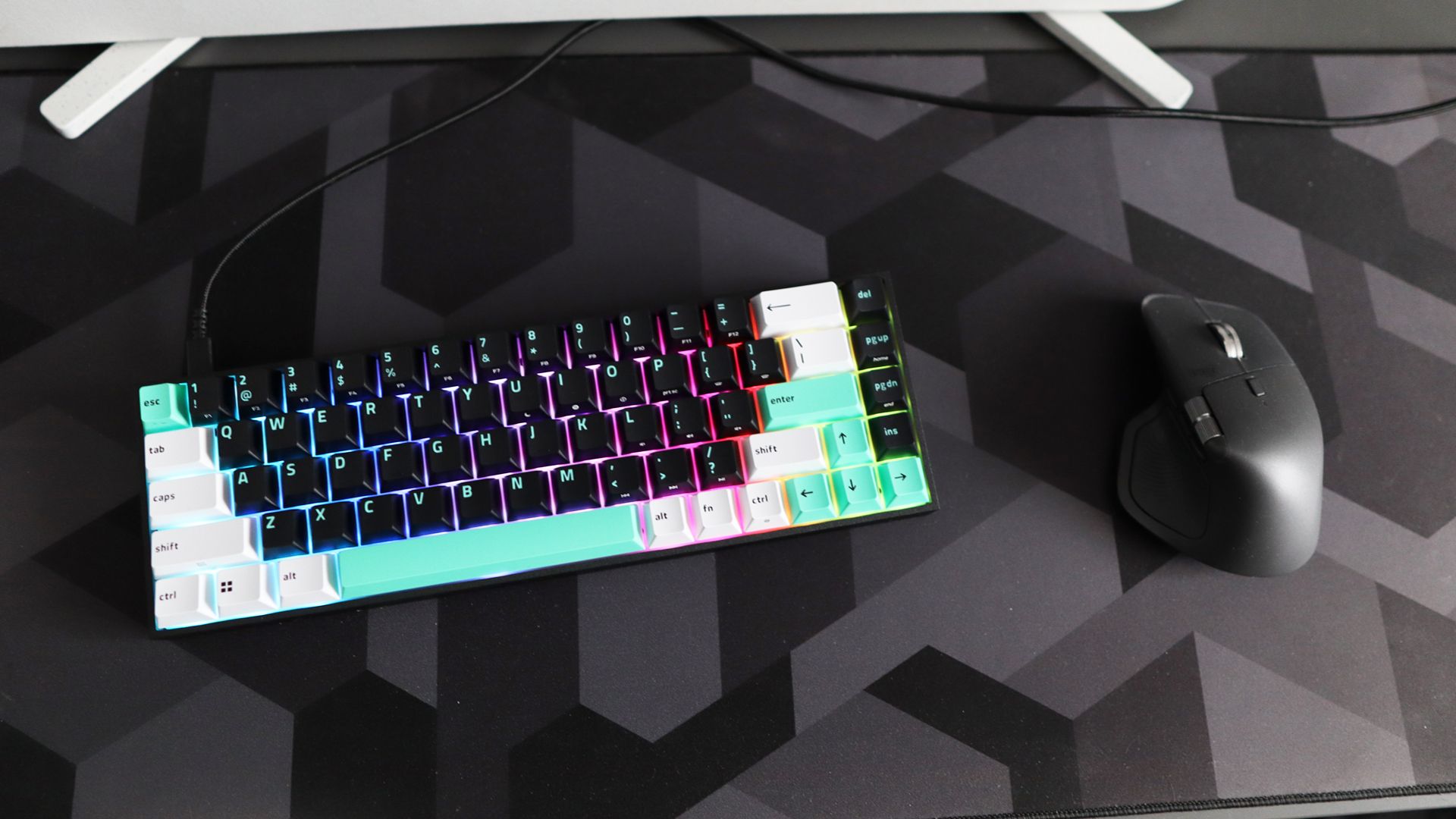
The Reclusa X Mini 65%'s solid keycaps mean the Chroma lighting this keyboard has is more of an underglow than a full-blown Pink Floyd gig, although it's still plenty bright enough and works well with the aesthetic of the keyboard.
- Performance score: 4.5/5
Razer Reclusa X Mini 65% review: Price & release date
- $49.99 / £59.99 / AU$99.95
- Released September 8, 2026
- Towards the bottom end of the market
Razer launched the Reclusa X Mini 65% in September 2026. At $49.99 / £59.99 / AU$99.95, it's easily one of the most affordable keyboards the brand has ever released, let alone an enthusiast-focused one.
That price puts it firmly in entry-level territory. It's much cheaper than the Razer BlackWidow V4 75%, which sits in the more enthusiast-focused part of Razer's range, and it takes on the likes of the MechLands Vibe99, another budget board that trades a premium finish for strong value. It also sits alongside Gamakay's TK75 V2, which proved you don't need to spend big to get a satisfying typing feel.
What sets the Reclusa X Mini 65% apart from a lot of these more affordable mechanical boards is how much it gets right for the money. The solid chassis, hot-swappable switches and doubleshot keycaps are rarely found together at this price, and when they are found together, it can usually mean a compromise on feel, one way or another. The compromises are a wired-only connection, 1,000Hz polling and shiny ABS keycaps, but for most buyers on a budget they're easy to forgive.
- Value score: 4.5/5
Razer Reclusa X Mini 65% review: Specs
Layout | 65% |
Switches | Razer Gen 3 Orange Tactile |
Programmable keys | Yes |
Dimensions | 12.2 x 4.02 x 1.5 inches / 311 x 102 x 37mm (LxWxH) |
RGB or backlighting | Yes - RGB (customisable) |
Should I buy the Razer Reclusa X Mini 65%?
Attribute | Notes | Score |
|---|---|---|
Design | The Reclusa X Mini 65% looks great with its two-tone green keycaps, plus has a surprisingly solid plastic chassis. It's little things that let it down, such as ABS keycaps and the absence of any feet on the underside. | 4.5/5 |
Performance | The tactile Orange switches inside are surprisingly good for a mainstream brand and comfortable for extended periods and feel smooth with a pleasant tactile bump. Software config is competent too, as is physical customisation with hot-swappable switches. | 4.5/5 |
Value | The Reclusa X Mini 65% is one of the brand's most affordable keyboards ever, and it hits the spot for price-to-performance with excellent value for money. | 4.5/5 |
Average Rating | The Razer Reclusa X Mini 65% impresses for a big brand's budget keyboard, proving a proper mechanical 'board for a song can be done when you put your mind to it. It looks good and feels excellent with tactile switches and a surprisingly sturdy plastic chassis. If I'm being nitpicky, the lack of any adjustable feet and more basic software customisation are sore misses, but on the whole, this is a highly impressive mechanical board. | 4.5/5 |
Buy it if…
You want a sturdy keyboard on a budget
The Reclusa X Mini 65% has a surprising amount of heft for the money, with no noticeable deck flex. That makes it feel a good deal more expensive than it actually is. View Deal
You want a satisfying tactile switch under finger
Razer's Gen 3 Orange switches are the best it has made in a while. The pre-lubed 50g stems and soft tactile bump make for a smooth, agreeable typing feel, and they're a pleasure for long writing sessions. View Deal
You want a satisfying tactile switch under finger
Razer's Gen 3 Orange switches are the best it has made in a while. The pre-lubed 50g stems and soft tactile bump make for a smooth, agreeable typing feel, and they're a pleasure for long writing sessions. View Deal
Don’t buy it if…
You want wireless connectivity
This is a USB-C wired board and nothing else. That's perfectly fine for the money, but if you want Bluetooth or a 2.4GHz receiver, you'll need to look at other options.View Deal
You want flip-out feet
It might seem a small nitpick, but the lack of any flip-out feet on the underside of this keyboard can be a shame if you want to get properly comfortable with this board, hindering its ergonomics a bit.View Deal
You want deep software customization
Synapse 4 is a big improvement on older versions, but you're limited to key remapping on two layers: Snap Tap and RGB control. If you want more tuning options, you'll need to look elsewhere.View Deal
Also consider
MechLands Vibe99
The MechLands Vibe99 goes after the same budget-minded buyer, and it's a solid performer, with well-lubed linear switches and a snappy response. It's a less handsome package than the Razer, though: the chassis feels solid but not premium, the retro styling doesn't charm, and the software isn't as good as it should be. It also uses a near-full-size 1800 layout rather than a 65% one, which suits you better if you want more keys.
Read our full MechLands Vibe99 reviewView Deal
Gamakay TK75 V2
If you'd rather have a 75% layout, the Gamakay TK75 V2 is a lovely alternative, with damped switches that are great for typing and gaming and near-silent in use. That's a big contrast with the Razer, which can get loud once you pick up speed. The catch is that it lacks gaming-specific tweaks, so it suits typists better than players who want the likes of Snap Tap.
Read our full Gamakay TK75 V2 reviewView Deal
How I tested the Razer Reclusa X Mini 65%
- Tested for around two weeks
- Used for gaming and productivity across Windows and macOS
- A decade of experience as a journalist and mechanical keyboard hobbyist
I tested the Reclusa X Mini 65% for around two weeks, using it as my main keyboard for work and play during this time with both Windows and macOS.
I used it for typing up thousands of words a day with my PC and hooked it up to my MacBook Pro over Bluetooth as my primary keyboard for work, too, to judge its performance. I also used the Razer Synapse 4 software on Windows to remap keys, program the macros and see what else it had to offer.
I've been a tech journalist for the best part of a decade, and have reviewed plenty of keyboards in that time from brands big and small. I'm also a mechanical keyboard enthusiast, so I have a keen eye for peripherals and have been involved with the hobby before it hit the mainstream.
- Read TechRadar’s reviews guarantee
- First reviewed: October 2026


